



Track your maritime shipments
Thanks to Shiptify TMS's automatic maritime tracking, you benefit from complete visibility of your international flows - without changing your processes, without manual actions, and without multiplying company portals.
-
 Follow your transport in real time
-
 Reduce costs related to hazards
-
 Reliable, centralized management of your international flows

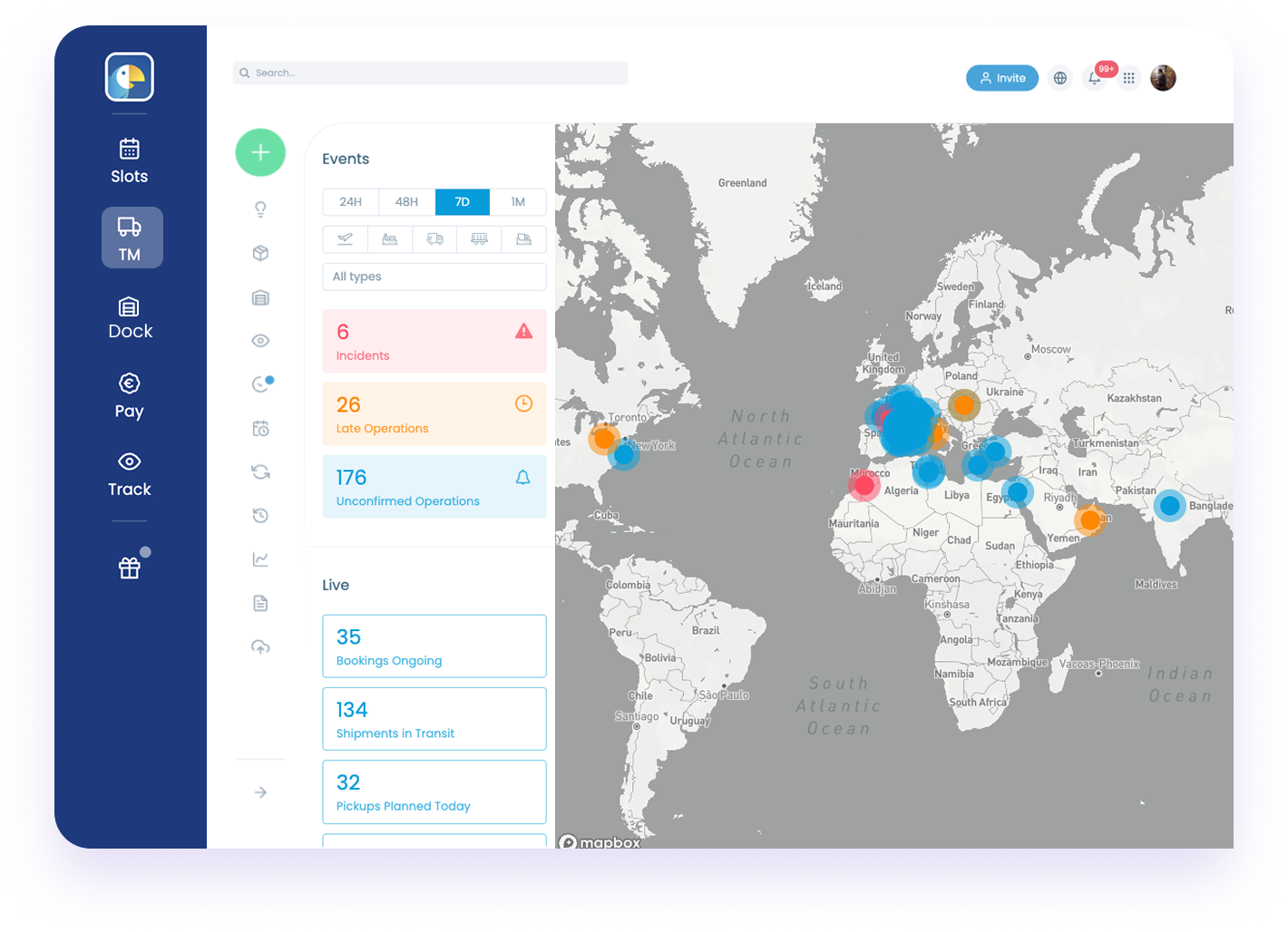















Are you still lacking visibility on your maritime shipments?
Between the multiplication of company portals, asynchronous updates, Excel files, calls and emails with forwarders... tracking a container quickly becomes time-consuming, fragmented and error-prone. Shiptify TMS unifies all your transport data, processes and key information to help you optimize your shipment management and boost the performance of your supply chain.


How does it work?
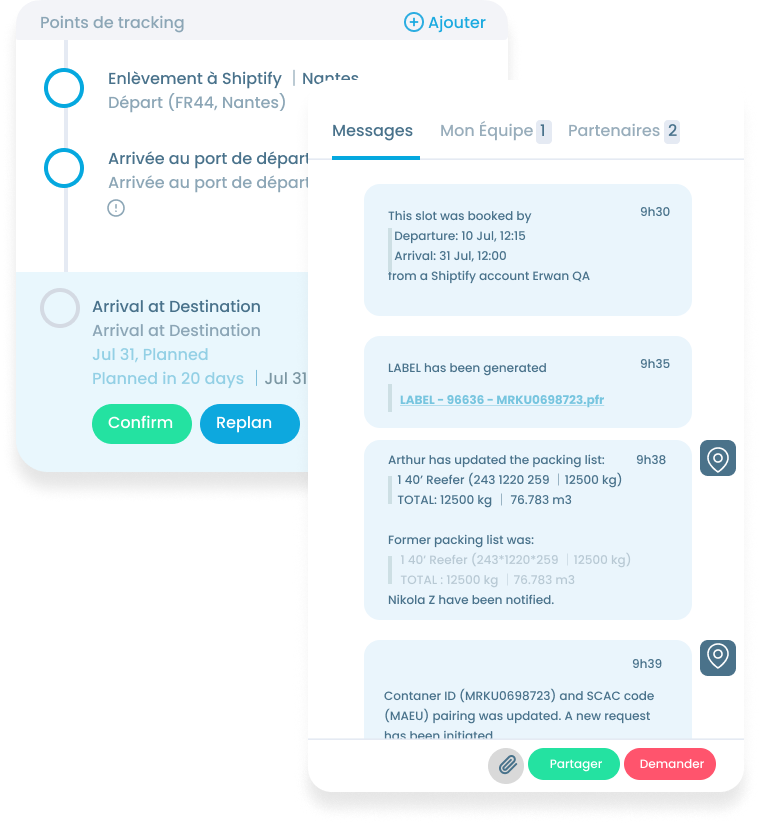
Track all your marine shipments at a glance
Shiptify automatically consolidates all your key shipment data: ship position, ports, updated ETD/ETA, calls, company information and anomaly alerts.
What this means for you
- No more manual entry: enter the container number just once
- Automatic, multi-transitcontainer tracking
- All your logistics information in a single system
- Data updated in real time throughout the journey
- Improved anticipation, planning and transport management
.png?width=1000&height=800&name=Frame%201%20(11).png)
Filter, process and analyze your feeds at the click of a button
From the dedicated view in your Shiptify TMS, your teams can instantly filter shipments by :
- shipping line
- container or B/L number
- port of departure / arrival,
- period,
The result: a clear, actionable, centralized view of your global ocean freight operations.
Anticipate hazards and control your shipments
Thanks to automatic updates of maritime status and events, you control every step of the journey:
- In transit,
- Docked / in port,
- Confirmed departure,
- ETA updated,
- Delay detected,
- Detour / Stopover modification,
- Arrived / Gate Out.
The result: fewer grey areas, less time wasted searching for information, and greater anticipation capacity for your teams.
Want to find out more?
Discover how SOMFY manages its transport with Shiptify TMS software


More than 10,000 carriers connected to our Shiptify TMS solution















Want to find out more about Shiptify?
Schedule a demonstration of the tool to discover the different functionalities of our TMS software and how Shiptify can change your daily life and that of your teams.
